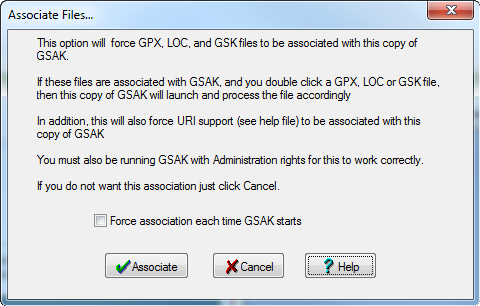
If you associate GPX files with GSAK, you can double-click on a GPX file, and GSAK will launch with that file selected in the Load GPX/LOC File dialog box.
This option includes all associations (GPX, LOC, GSK, and URI support). If you have multiple copies of GSAK installed to different folders, this option will allow you to inform the operating system which "gsak.exe" file should be fired when ever a file or URI is opened by association.
You can also check the box to "force association" each time GSAK starts. Use this when you want to make sure the last copy of GSAK that you run always has file associations allocated to it. It can also be used in cases where another mis behaved application keeps grabbing the association (EasyGPS once used to do this for GPX/LOC files)
Note: "force association" can only be accomplished by updating the registry. Windows 7 and Vista do not allow programs to do this unless they are explicitly set to run with admin rights. Using the "Force association" option is not recommended on Windows 7/Vista computers.